 Case Converter Online
Wingdings Translator: Convert Text to Wingdings Symbols
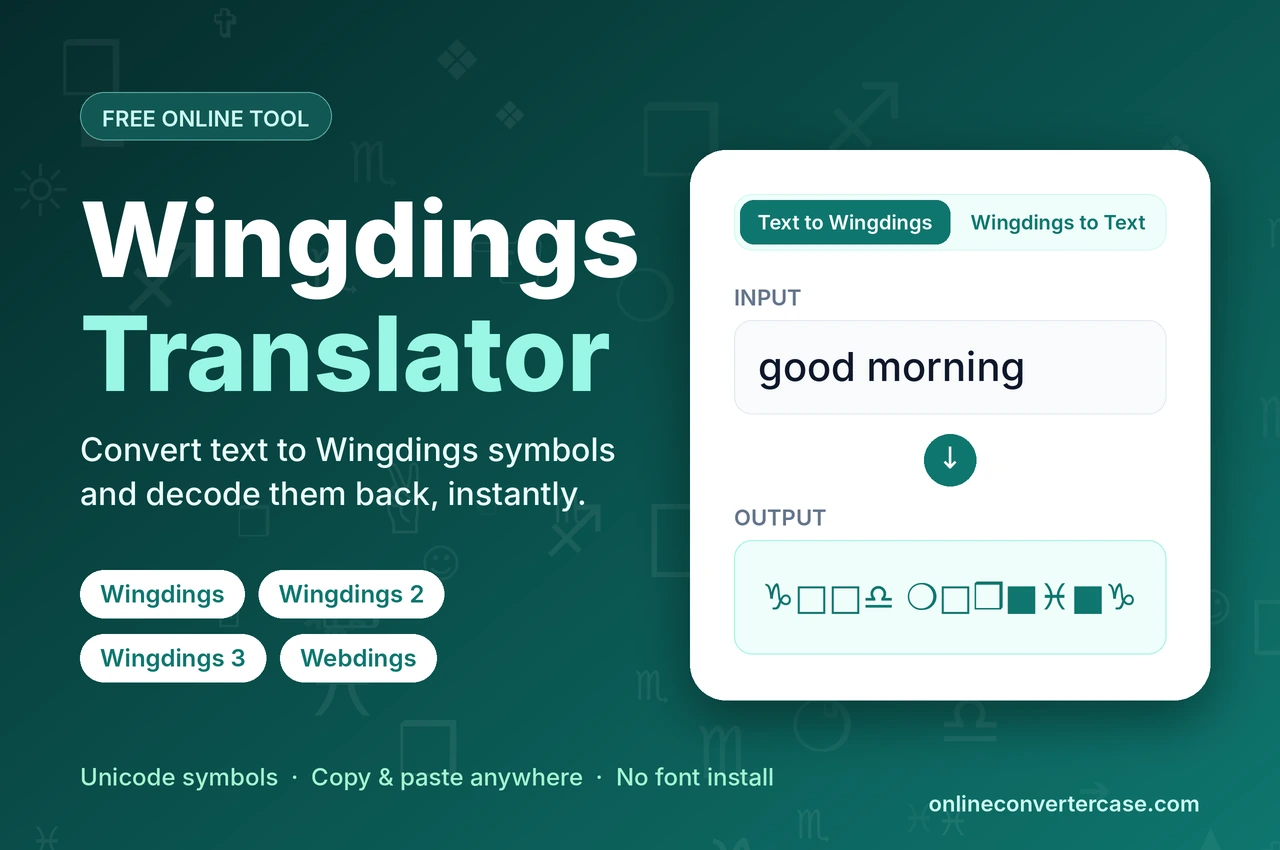
Wingdings is a Microsoft font that shows icons instead of letters and numbers. This translator converts text into Wingdings, Wingdings 2, Wingdings 3 or Webdings symbols. You can decode them back to plain text and copy them anywhere.
Compatible uses symbols that display on all devices. Unicode-accurate uses the exact Microsoft mapping, some symbols may show as boxes on older systems.
Tip: select part of the text to convert only that part.
Nothing is uploaded. Conversion stays in your browser.
About Wingdings Translator
The Wingdings translator converts letters and numbers into unique symbols, including arrows, religious icons, hand gestures and everyday objects. Choose from four font variants: Wingdings 1, Wingdings 2, Wingdings 3, or Webdings. It isn't an actual language, just a visual code where symbols stand for letters, and a decoder simply reverses that, turning the symbols back into readable text. Every symbol on the keyboard has its own dedicated character and it contains special Unicode characters that you can copy and paste everywhere. You can convert plain text into Wingdings and Wingdings into plain text with just one click. It works as both a Wingdings converter and a symbol text generator, so you can create or read Wingdings text without installing anything.
Example: good morning → becomes (Wingdings): ♑︎□︎□︎♎︎ ❍︎□︎❒︎■︎♓︎■︎♑︎
What is Wingdings?
"Wing dings" or "Wingdings" means one thing. Two typographers, Charles Bigelow and Kris Holmes, also the designers of the Lucida font family, created 226 original symbol sets, drawing inspiration from Hermann Zapf's Zapf Dingbats. In 1990, Microsoft purchased the rights to these symbols, combined and reassembled them. Microsoft renamed this collection Wingdings and shipped it with Windows 3.1.
It was the combination of three old fonts Lucida icons, Lucida stars, and Lucida arrows. The main goal was to provide fonts full of symbols. Wingdings is a "dingbat" font, this term comes from decorative symbols that early printers used purely for visual appeal. It was created for immediate access to symbols when emojis didn't exist.
Even after thirty years, it is still used for both practical and creative purposes today, appearing everywhere from design projects to famous novels like Dan Brown's. It is commonly used for MS word applications and adding visual elements in the documents, and it doesn't need any type of software. Compiling these symbols into a font lets them work directly inside word processors, and pressing a keyboard key now shows you a Wingdings symbol.
Wingdings 1, 2, 3, and Webdings: What's the Difference?
- Wingdings 1: (Established in 1992) This is the original, with basic symbols such as stars, scissors, emoticons (☺, ☹), pointing hands, crosses, zodiac signs, religious symbols (✞, ☪, ✡) and weather icons (☼, ❄, 💧).
- Wingdings 2: (Established in 1992) This is an extension with more arrows, additional hand gestures, stationery icons like pens (🖊, 🖋), typographic ornaments, checkboxes, checkmark and ballot marks (☑, ☒).
- Wingdings 3: (Established in 1992) It offers arrows (⭠, ⭢, ⭡, ⭣), squares (□), circles (○), different lines and geometric shape triangles (▲, ▼, ◀, ▶).
- Webdings: (Established in 1997) It was created in the web era used for buildings (🏠), travel and transport (🛩, 🚘), media control icons (⏵, ⏸), web icons, etc (🌍, @).
About Webdings
Webdings is a separate dingbat font that was released by Microsoft in 1997, initially shipped with Internet Explorer 4.0. Wingdings was built for print documents, while Webdings was designed for the web era, with symbols built around browsing and online content. Every Webdings character also has a matching Unicode symbol, so they can be used in any app that supports Unicode.
What Is the Wingdings Alphabet?
The Wingdings alphabet is the full set of symbols that every keyboard key produces in the Wingdings font. Each letter, number and punctuation mark has its own unique pictograph, so uppercase and lowercase versions of the same letter look different. A Wingdings message is just ordinary English letters swapped for pictures, so anyone with the chart can read it.
E.g: uppercase C appears as 👍︎, while lowercase c shows ♍︎. This one-to-one substitution is what makes the full chart below useful as a quick reference.
Wingdings chart
Uppercase Letters
Lowercase Letters
Numbers
How to Use Wingdings Translator
Using Wingdings translator is very easy. We'll guide you step by step below:
- Select your desired Wingdings or Webdings from the tool.
- Paste your content into the top box. Either you want plain text converted into Wingdings/Webdings or Wingdings/Webdings converted into plain text.
- Your result will appear instantly, and the conversion updates live as you type.
- Copy and paste it where you want.
Converting Wingdings Back to Text
To convert Wingdings, select "Wingdings to Text" so the input accepts symbols, then paste your Wingdings characters. Always make sure you've picked the correct variant from the Font dropdown first, since Wingdings, Wingdings 2, Wingdings 3, and Webdings each of them uses different symbols for the same letter, so if you have picked the wrong one, you won't get the result you're expecting.
This only decodes the tool's own Unicode symbols, not text merely styled in Wingdings elsewhere, like in MS word.
Frequently Asked Questions
Does this tool work in both directions, text to symbols and back?
Yes, our tool has both options. You can convert your text to symbols and back into text.
Why do some symbols show as empty boxes on different devices?
Almost all modern devices support Unicode characters, mostly this happens on old devices, because they don't support all Unicode characters.
Can I speak in Wingdings?
There is no sound and nothing to pronounce in Wingdings, because it's just a font. When people say a character like W.D. Gaster from Undertale "speaks" in Wingdings, it means dialogue is written using those symbols.
How do I apply Wingdings to text in Word?
Open Word, type or paste your content, highlight it, and change your font to Wingdings to change it into symbols. Always keep in mind it only works on devices that have the font installed, so pasting it to an email or social post may turn it back into normal text. Our tool avoids this because it uses Unicode symbols, which work anywhere without installing any font.
How do I read W.D. Gaster's dialogue in Undertale?
Undertale's mysterious character W.D. Gaster communicates entirely through uppercase Wingdings, with his name itself hinting at "Wing Ding." Change the tool settings to "Wingdings to Text," drop in his symbols, or cross-reference them manually using the uppercase chart if you're working from a screenshot.
Is the Wingdings tool free?
Yes, it's completely free, without any hidden charges.
Where can I use these symbols?
You can use them in MS word and excel, messages, puzzles and creative designs, social media posts
Related Fonts Tools
Mirror Text Generator
Flip letters into Unicode mirror writing, horizontal or vertical, in the same browser-only style as this translator.