 Case Converter Online
Unicode Text Generator
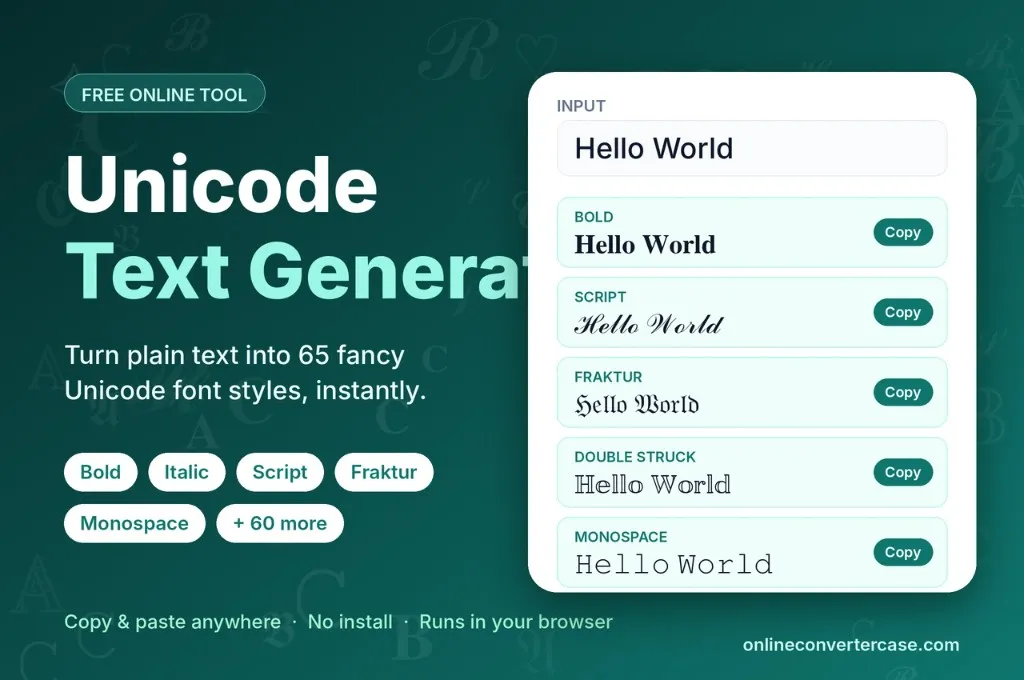
Turn plain text into dozens of Unicode font styles such as bold, italic, script and monospace. Add hearts, stars or borders around your text and copy the result with one click. It works inside your browser, so you can paste it into social media, chats, games and emails.
Decoration
About Unicode Text Generator
The Unicode text generator tool converts your simple text into different aesthetic and unique fonts. You can convert your text in just a few seconds without any effort. Because they’re Unicode fonts, you can copy and paste them into social media platforms, emails, documents, messaging apps and gaming etc.
What Is Unicode?
Unicode is also known as (The Unicode standard or TUS), which gives every letter, symbol, number and punctuation mark a unique code. It was first introduced by Lee Collins, Mark Davis and Joe Becker in 1987. Later in 1991, the Unicode Consortium finally developed them for different platforms and languages. The current version of Unicode is 18.0, which was released on September 16, 2026 with 13,007 new characters, (total 172,808), 9 new emojis, (total 19), 3 new scripts, (total 175).
Understanding Unicode Font Styles
Here's something many people don't notice: those fancy fonts aren't actually fonts. Unicode set aside entire alphabets originally meant for things like math textbooks, covering bold, italic, script, fraktur, double struck, and monospace letterforms, among others. Each letter in these sets has its own unique character code, not a formatting style, even somewhere with zero formatting options, it doesn’t change its look. That's the whole trick behind this tool. It takes your normal text and swaps each letter for its matching character from these alternate sets. It does not translate your meaning into another language.
Decorative Symbols and Borders
Beyond changing how letters look, this tool also has decorative options that wrap your text with symbols like hearts, sparkles, stars, flowers, butterflies, as well as dotted or dashed borders. They are just simple Unicode characters, so you can copy and paste them everywhere without installing any font, because a modern renderer already knows these characters. You can mix script letters with hearts for bios, usernames, captions and comments.
Features of Unicode Text Generator
Below are the details of our tool features:
Multiple fonts
Convert your plain text into dozens of font styles like italic, bold, monospace, double struck, sans serif etc.
Mobile friendly
Easy to use in all types of modern mobiles including iOS, Android etc.
No installation
Use this online font converter without any login, no need to install any app, or font files.
Platforms compatibility
You can use it for your display names, social media, messaging apps, games, emails etc.
Secure
It completely works inside your browser, and 100% safe and secure.
Quick results
The conversion finishes in just a few seconds.
Unicode Text Styles Available in Our Tool
Unicode text styles in our tool, copy your favourite one instead of a random pick and paste it where you want:
| # | Style Name | Example |
|---|---|---|
| 1 | Bold | |
| 2 | Italic | |
| 3 | Bold Italic | |
| 4 | Script | |
| 5 | Bold Script | |
| 6 | Fraktur | |
| 7 | Bold Fraktur | |
| 8 | Double Struck | |
| 9 | Sans Serif | |
| 10 | Sans Serif Bold | |
| 11 | Sans Serif Italic | |
| 12 | Sans Serif Bold Italic | |
| 13 | Monospace | |
| 14 | Full Width | |
| 15 | Circled | |
| 16 | Circled Inverted | |
| 17 | Squared | |
| 18 | Squared Inverted | |
| 19 | Parenthesized | |
| 20 | Superscript | |
| 21 | Small Caps | |
| 22 | Runic | |
| 23 | Greek Mix | |
| 24 | Tribal | |
| 25 | Deep Sea (Upside Down) | |
| 26 | Starlight | |
| 27 | Armenian Style | |
| 28 | Cyrillic Bold | |
| 29 | Matrix Code | |
| 30 | Frost | |
| 31 | Wavy | |
| 32 | Strikethrough | |
| 33 | Underline | |
| 34 | Dotted | |
| 35 | Overline | |
| 36 | Braille | |
| 37 | Thai Lookalike | |
| 38 | Georgian Style | |
| 39 | Vai Style | |
| 40 | Tifinagh (Ancient) | |
| 41 | Circumflex | |
| 42 | Caron | |
| 43 | Breve | |
| 44 | Ring Above | |
| 45 | Grave Accent | |
| 46 | Acute Accent | |
| 47 | Double Acute | |
| 48 | Inverted Breve | |
| 49 | Tilde Above | |
| 50 | Diaeresis Below | |
| 51 | Double Grave | |
| 52 | Comma Above | |
| 53 | Hook Above | |
| 54 | Double Overline | |
| 55 | Double Underline | |
| 56 | X Above | |
| 57 | Asterisk Below | |
| 58 | Plus Below | |
| 59 | Seagull Below | |
| 60 | Bridge Below | |
| 61 | Square Below | |
| 62 | Circle Below | |
| 63 | Cedilla | |
| 64 | Tilde Below | |
| 65 | Vertical Line Above |
How to Use Unicode Text Generator
Using this tool is very easy. We’ll guide you in a few steps below:
- Type or paste your plain text into the top box.
- Our tool will convert your text into multiple Unicode font styles.
- If you want hearts, stars, sparkles click on decoration buttons.
- Copy the result and paste it wherever you need.
How do I copy my converted text
You can copy your converted text by clicking on the copy button next to your styled text. Alternatively, if you’re using this tool on your mobile phone, just press and hold for 2 to 3 seconds, an option will appear. Tap the “Select All” button then tap “copy”. On a PC, triple click the text to select it, then right click and choose Copy, or simply press Ctrl+C. Text will be copied and you’ll paste it wherever you need.
Where Can I Use Converted Unicode Text
You can use this text maker in various places. We’ll show you in few options below:
Social media
You can paste unicode to text in your social media like TikTok, Instagram, Facebook, Twitter/X etc.
Chats
It is also used in SMS, WhatsApp, WeChat, Signal etc.
Gaming
People also use it in their gaming names like PUBG, Free Fire, Roblox etc.
Frequently Asked Questions
What does a Unicode text converter do?
It converts your plain text into multiple stylish fonts in just a few seconds.
Is this Unicode text converter tool safe?
Yes, it’s completely safe and it only works inside your browser.
Where can I use these Unicode fonts?
You can use these stylish fonts for your social media, Gaming usernames, chats etc.
Which devices support these Unicode fonts?
Almost every new device including Androids, iOS, PCs etc supports unicode fonts.
Is there any text limit using this Unicode text converter tool?
There is no character limit, you can convert from single word to long paragraphs.
Is this tool free?
Yes, it’s completely free, no hidden charges or login required.
Why use the Unicode font generator tool?
Simple text feels boring, while stylish and eye-catching text grooms your online presence.